Choosing a Desk Fan— 4 Things I Checked to Keep My Desk Cool and Quiet This Summer
- This article contains affiliate links -
In this article, I’ve pulled together the 4 things I compared before replacing my fan, along with what I liked and didn’t like after using it at my desk, all based on my own experience. I used to focus almost entirely on maximum airflow, but now I think how quiet and gentle the lowest setting is matters most.
I’ve used a desk fan at my home office desk since around 2023. The air conditioner cooled the room, but when I sat in front of my laptop and monitor, only my face and the area over the keyboard felt oddly hot. If I turned the thermostat down, my feet got cold instead.
My old fan was too strong even at its lowest setting, and its high-pitched whine bothered me too. So in summer 2026, I replaced it with a model with continuously variable airflow and oscillation that I could primarily use plugged in but that would also run on its built-in battery. The fan I actually use at my desk is Doshisha’s 「スリムコンパクトファン」. It sits about 30 cm from my face, and I’ve run it almost every weekday this summer.
When narrowing down models for stationary use, I first focused on three things: quiet operation, continuously variable airflow, and the ability to use corded power as the default while still having battery power available. I thought of oscillation as more of a bonus, but I came to value it more once I started using the fan for long stretches.
* Information as of September 2026.
What I Looked For ① Quiet Operation — Sound on the Lowest Setting
Before buying, I almost took the word “quiet,” displayed prominently on the product page, at face value. The small fan I used before wasn’t especially loud, but even at its lowest setting it had a lingering high-pitched whir. Listening to that close to my face for hours at a time gradually got on my nerves.

This time, I wrote the noise rating (dB) from each model’s spec sheet into a table and put models rated in the low 30-decibel range on my quieter shortlist. But the conditions, including measurement distance and airflow setting, weren’t standardized, so the numbers weren’t directly comparable. In actual user reviews, I focused especially on comments about how audible each fan was on low.
On the model I chose, the lowest setting blends into the sound of the air conditioner and PC fans. When the air conditioner turns off at night, I can hear a faint whir, but it doesn’t bother me while I’m writing code.
At high speed, on the other hand, I can clearly hear a “whooshing” sound even from about 70 cm away. Even on a quiet model, not every airflow setting is quiet. I use the lowest setting for by far the longest stretches, so prioritizing it was the right call for me.
What I Looked For ② Airflow Control — Avoiding a “Low” Setting That’s Still Too Strong

My old two-speed fan blew hard enough on “low” to make the edges of my sticky notes flap. Moving it farther away weakened the airflow, but space is limited on a small desk. Keeping it aimed at my face also made the area around my eyes feel dry, so I turned it off frequently.
With the continuously variable model I use now, I move the knob little by little near the low end and turn it down until the papers stay still. I’ve settled into a routine of turning it up high for about five minutes only when I’ve just come in from outside, then bringing it back near the lowest setting once I’ve settled down.
Continuous adjustment is convenient, but the knob on my model is on the small side. If I turn it without holding the body, I sometimes shift the direction of the whole fan. It’s not a deal-breaker, but since it’s a part I touch every day, that’s a little disappointing.
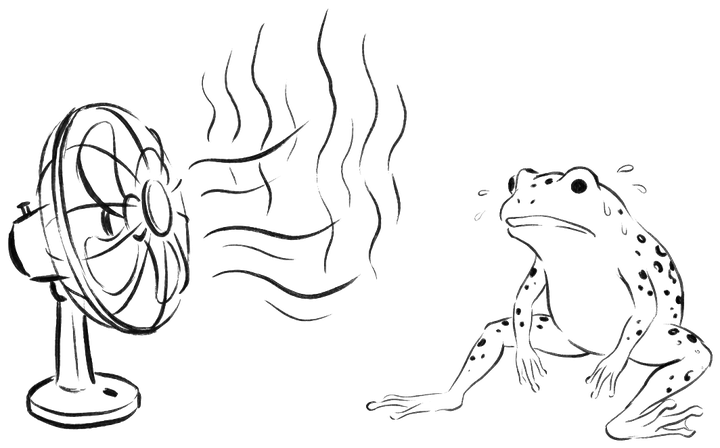
Even at maximum airflow in a hot room with the air conditioner off, all I got was a forceful blast of warm air. It wasn’t enough for me as a way to cool the room itself. It works best for me as that last little boost in an already air-conditioned room, and if I buy another one, I’d again look for at least three or four settings, or continuously variable control.
What I Looked For ③ Power Source — USB at My Desk, Rechargeable on the Go
I’ve used both a USB-powered model with no battery and a rechargeable model with a clip. Each suited a different kind of location, and for a while I thought I had to choose one or the other. At my current desk, I’ve settled on a single fan that combines both.

-
USB power — For a fan that stays on my work desk, it’s nice to let it run all day without worrying about the remaining charge. Back when I connected a battery-free model to a USB port on the PC itself, the fan stopped whenever the PC went to sleep. Now I use an always-powered USB adapter and route the cable along my monitor arm. The extra cord and occupied USB port are real drawbacks.
-
Rechargeable (built-in battery) — Taking it into the kitchen or another room felt much easier without a cord. Being able to clip it to a shelf was handy too.
 But there were times when I forgot to charge it and it died right when I wanted it most. I also worried about battery degradation and eventual disposal after years of use, so I stopped relying on battery power alone for a fan permanently stationed at my work desk.
After trying both, the easiest option to use ended up being a hybrid that works with both corded power and a built-in battery. Doshisha’s 「スリムコンパクトファン」 is rechargeable but can run while plugged in. At my desk, I normally power it from the cord, and the moment I unplug it, it keeps running seamlessly on the built-in battery, so I can carry it somewhere else without stopping it. Having the convenience of a stationary fan and the freedom of a rechargeable one in a single unit has been extremely handy.
What I Looked For ④ Oscillation and Tilt — Avoiding Constant Airflow in One Spot

On the first day I used it, I left the fan fixed and aimed at my face. It felt cool at first, but after a while my eyes started to feel gritty, and even my throat felt dry. Even the low setting seemed too strong for me when it kept hitting the same spot.
Since then, I’ve tilted it slightly downward so the airflow passes over my chest and hands. On days when I run it for a long time, I also use oscillation to create intervals when the breeze hits me and when it doesn’t. Rather than making the coolness feel interrupted, the variation in airflow feels more comfortable.
Oscillation had an unexpected catch too. Even if the base has a small footprint, the fan head still needs room to move from side to side. In the spot where I first put it, it touched my pen holder and monitor cable, so I shifted it a few centimeters.
Before buying, I paid most attention to oscillation, but in practice I use the vertical tilt every day too. Doshisha’s 「スリムコンパクトファン」 can be adjusted to about three angles, and being able to switch quickly between my hands and chest has been more useful than I expected. I point it at my hands when I’m concentrating and at my chest during breaks, which works well at my desk.
3 Things I Liked After Using It
- I can keep the thermostat set higher. In my setup, having airflow over my hands has made more days comfortable even with the setting one or two degrees higher, and my feet don’t get overly cold as often. I haven’t confirmed whether it has affected my electricity bill.
- I feel a little less foggy in the afternoon. A light cross-breeze after lunch has been refreshing for me. I still get sleepy, so I’m drinking just as much coffee as ever.
- It didn’t crowd my desk. The fan itself fits into roughly the space of one or two mugs. During oscillation, though, it uses a little more room than its appearance suggests.
2 Things I Wish I’d Known Before Buying
- Paper went flying. A narrow sticky note caught the breeze and disappeared behind my desk once. Now I keep notes out of the direct path of the airflow.
- My microphone picked up wind noise. During a video call, someone once pointed out a “whooshing sound.” That said, my current fan causes no problems at all with my mic even at medium speed, so during meetings I can use it without paying much attention to the setting.
Summary
- I prioritized the lowest setting. I run it near its lowest setting while I work, with high airflow only for short stretches, such as right after I get home. Quiet operation and gentler airflow were the deciding factors.
- I use both corded and battery power. At my desk, I mainly use corded power, and when carrying it around, I run it on the built-in battery. Continuously variable airflow, oscillation, and tilt also suited how I use it.
- I’ve used it in both summer and winter. Airflow affecting paper and my mic are weaknesses, but in summer it helps with the heat around my hands, and in winter I use it to circulate warm air from the heater.
After comparing those four criteria, I ended up with a desk fan with a quiet DC motor, continuously variable airflow, and oscillation that I could run mainly on corded power but also on its built-in battery.
A desk fan can’t cool an entire room by itself. Even so, on a midsummer afternoon, just having a gentle breeze pass over my hands changed how comfortable my desk felt more than I expected. It isn’t flashy, but it’s now one of the tools I want to keep at my summer workspace.
![[商品価格に関しましては、リンクが作成された時点と現時点で情報が変更されている場合がございます。]](https://hbb.afl.rakuten.co.jp/hgb/570fef24.c9208e65.570fef25.110d7c33/?me_id=1410323&item_id=10007462&pc=https%3A%2F%2Fthumbnail.image.rakuten.co.jp%2F%400_mall%2Fhandy%2Fcabinet%2Fimage34%2F4562350997721_1.jpg%3F_ex%3D128x128&s=128x128&t=picttext "[商品価格に関しましては、リンクが作成された時点と現時点で情報が変更されている場合がございます。]")
![[商品価格に関しましては、リンクが作成された時点と現時点で情報が変更されている場合がございます。]](https://hbb.afl.rakuten.co.jp/hgb/570fef24.c9208e65.570fef25.110d7c33/?me_id=1410323&item_id=10007467&pc=https%3A%2F%2Fthumbnail.image.rakuten.co.jp%2F%400_mall%2Fhandy%2Fcabinet%2Fimage34%2F4562350997738_1.jpg%3F_ex%3D128x128&s=128x128&t=picttext "[商品価格に関しましては、リンクが作成された時点と現時点で情報が変更されている場合がございます。]")
![[商品価格に関しましては、リンクが作成された時点と現時点で情報が変更されている場合がございます。]](https://hbb.afl.rakuten.co.jp/hgb/570fef24.c9208e65.570fef25.110d7c33/?me_id=1410323&item_id=10003783&pc=https%3A%2F%2Fthumbnail.image.rakuten.co.jp%2F%400_mall%2Fhandy%2Fcabinet%2Fimage17%2F4562350993983-bk_1.jpg%3F_ex%3D128x128&s=128x128&t=picttext "[商品価格に関しましては、リンクが作成された時点と現時点で情報が変更されている場合がございます。]")
![[商品価格に関しましては、リンクが作成された時点と現時点で情報が変更されている場合がございます。]](https://hbb.afl.rakuten.co.jp/hgb/570fef24.c9208e65.570fef25.110d7c33/?me_id=1410323&item_id=10005043&pc=https%3A%2F%2Fthumbnail.image.rakuten.co.jp%2F%400_mall%2Fhandy%2Fcabinet%2Fimage21%2Fir-4967576354400_1.jpg%3F_ex%3D128x128&s=128x128&t=picttext "[商品価格に関しましては、リンクが作成された時点と現時点で情報が変更されている場合がございます。]")
![[商品価格に関しましては、リンクが作成された時点と現時点で情報が変更されている場合がございます。]](https://hbb.afl.rakuten.co.jp/hgb/5710fc54.1e13189a.5710fc55.0e82515e/?me_id=1354044&item_id=10000100&pc=https%3A%2F%2Fthumbnail.image.rakuten.co.jp%2F%400_mall%2Ffukuroyuri%2Fcabinet%2F05960709%2F2161401.jpg%3F_ex%3D128x128&s=128x128&t=picttext "[商品価格に関しましては、リンクが作成された時点と現時点で情報が変更されている場合がございます。]")